Start small. Keep the whole picture.
Ship the core workflow first. Keep customer feedback with the decisions it informs. Revisit the plan after the first round of use.


Your agents change. Your context stays. Keep notes, decisions and conversations together, in a workspace you own.
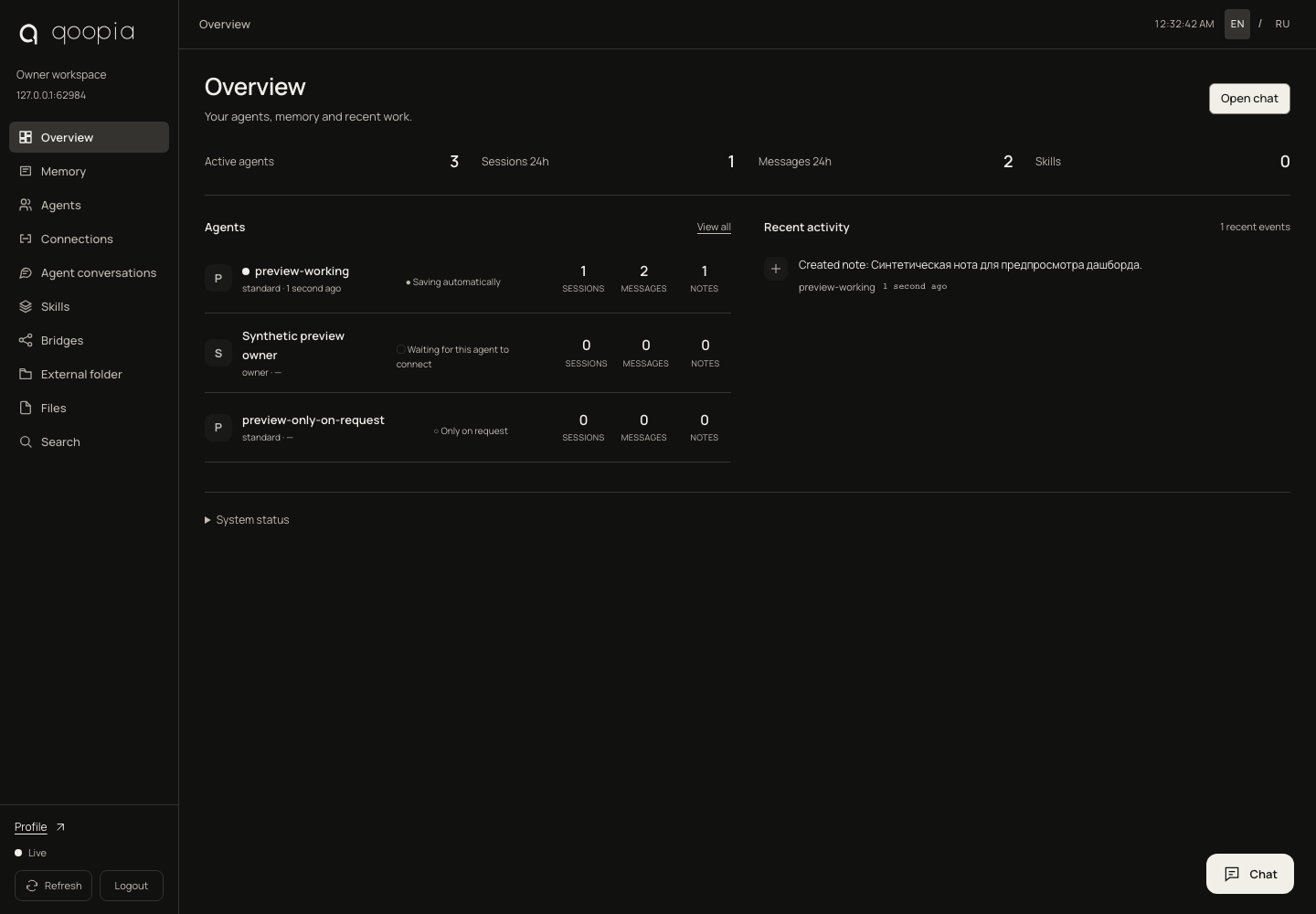
Bring the useful parts of your work into one place. Find a decision, reconnect an agent or pick up a conversation — without piecing the story together again.
Save what matters. Search across notes and captured sessions. Choose what each agent can access and whether its conversations are saved automatically.
Explore memoryWhat did we decide about the launch?
Ship the core workflow first. Keep customer feedback with the decisions it informs. Revisit the plan after the first round of use.
Open the chat from any page. Connect ChatGPT or Claude through a supported subscription, choose a model and continue the conversation. Keep permissions in your hands.
Connect your agentsIllustrative exampleMemory lives in your installation. Keep the host online to reach it from other devices.
Separate connections, explicit permissions and a memory policy for each agent.
Use Bridges to exchange selected material with another workspace. Your private memory stays separate.
Open your existing Qoopia on iPhone. The same dashboard, agents and memory — adapted to a smaller screen.
Qoopia on iPhone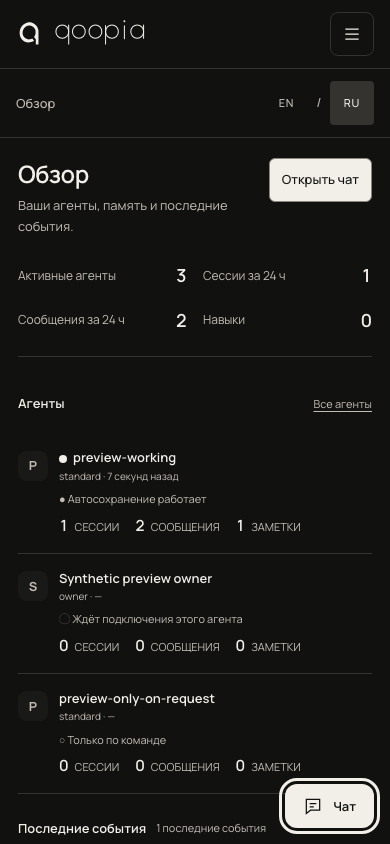
Install Qoopia on your computer or server. Sign in, connect your agents and start keeping what matters.
Is Qoopia right for you? · Читать по-русски
Your profile is available as soon as you confirm your email. Your memory dashboard lives in the Qoopia installation on your computer or server. Downloading the installer alone does not create a dashboard.
Already using Qoopia? Open the app to return to your selected dashboard. Save its address in your profile to open it from the website next time.
Open your profile ↗Qoopia is an environment you install and manage. Local and server installations are the same product. Each new user has their own installation, not an account in someone else’s private memory.
Native Claude Code and Codex integrations support session capture and restoration. A generic browser MCP connector gives access to memory tools, but does not provide a full conversation transcript or every session event.
Cloud clients need HTTPS. In Connections, enable external access and confirm your account; Qoopia prepares an address for your installation. Your computer must stay on and connected.
Built-in embeddings and keyword search work locally. Background summaries and model-assisted search use a supported subscription through an official runtime. This authorization is separate from owner sign-in and MCP client access.
A steward is your own agent with permission to administer your environment. You can also select it as your external representative in Bridges. Assigning the role does not start an always-running AI process.
Qoopia V1 source code is publicly available under the MIT license. Signed installers are published separately. GitHub